This guide details the process of creating a ballistic profile within the Revic Ops app for the PMR428 smart rifle scope. It covers inputting firearm and ammunition specifics, including caliber, zero offset, scope height, twist rate, muzzle velocity, bullet weight, and ballistic coefficient, to generate accurate shooting solutions. The video emphasizes the importance of accurate data entry and the app's ability to auto-generate profile labels.
This guide details how to adjust the brightness and color settings on the REVIC PMR428 Smart Rifle Scope. It covers powering on the device, navigating the menu system using the arrow and enter buttons, and making specific adjustments to display brightness, reticle brightness, and reticle color. The guide also highlights the automatic save function and the quick adjustment feature available from the main display.
This guide details the process of syncing a custom ballistics profile from the REVIC Ops app to the REVIC PMR428 Smart Rifle Scope. It covers ensuring Bluetooth connectivity, selecting a profile, initiating the sync, and confirming the transfer on the scope's display, noting potential title truncation.
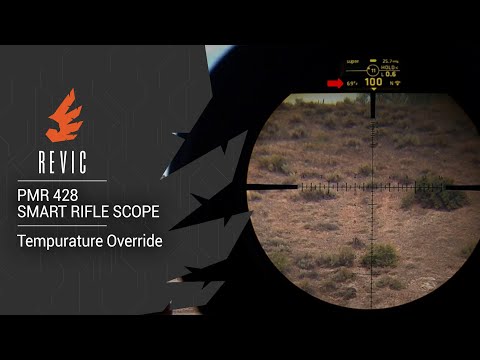
This guide details how to manually override the temperature sensor on the REVIC PMR428 Smart Rifle Scope. It explains scenarios where ambient temperature might differ from the scope's internal sensor reading, potentially affecting ballistic calculations. The process involves navigating the scope's menu to input a manual temperature value, ensuring accurate shooting solutions in varying environmental conditions. The override remains active until a hard power off.
This guide details how to perform a compass override on the REVIC PMR428 Smart Rifle Scope. The scope utilizes sophisticated sensors, including a magnetometer for directional input. The compass override feature allows users to manually set the directional heading when external magnetic interference (from rifle actions, benches, or other ferrous materials) might affect the sensor's accuracy. The process involves navigating through the scope's menu system to adjust the Azimuth setting in degrees.
This video from Gunwerks provides a detailed walkthrough of the Revic Ops App menu for the REVIC PMR428 Smart Rifle Scope. It demonstrates how to navigate the app's interface and guides viewers through the initial setup process for creating their own profiles. The video is intended for users of the Revic PMR428 scope who want to learn how to effectively utilize its smart features through the companion application.
This guide details the process of setting the Heads-Up Display (HUD) zero on the REVIC PMR428 Smart Rifle Scope. It explains that HUD zero is typically set after mechanically zeroing the scope and involves the scope calculating complex environmental factors like inclination, temperature, pressure, and elevation offset. The process is straightforward, involving navigating to the settings menu and holding the enter button to set the zero angle, which is crucial for accurate ballistic calculations.
The REVIC PMR428 Smart Rifle Scope features Virtual Ballistic Drop Compensation (VBDC) technology, acting as a fully automated ballistic computer integrated into the scope. This system solves the problem of calculating a full ballistic solution in real-time, accounting for factors like air density, elevation, Coriolis effect, inclination, and spindrift, unlike older fixed BDC turrets. It allows for corrections up to 1500 yards or more, depending on scope elevation, offering a fast and straightforward field solution for long-range shooting.
This guide details how to manually edit the ballistic profile on the REVIC PMR428 smart rifle scope without using the mobile app. It covers accessing the navigation menu, selecting the profile, and adjusting key parameters like muzzle velocity directly through the scope's interface. This method is presented as a quick alternative for minor adjustments when app access is inconvenient.
This video focuses on the REVIC PMR428 Smart Rifle Scope and its unique wind solution feature. "Aaron" explains how this technology simplifies the complex task of accounting for wind in high-stress shooting scenarios. The video highlights the scope's revolutionary optics, presented by Gunwerks, and encourages viewers to subscribe to their channel for more content related to long shots, tough shots, shooting tips, DIY, and ballistics.
This guide details the process of syncing the Revic Ops app with the Revic PMR428 Smart Rifle Scope. It covers powering on the device, enabling Bluetooth, opening the app, selecting the device, and confirming a successful connection, which makes app features like profile loading available. The video emphasizes the importance of having both the app and the device ready for pairing.
This guide details the process for calibrating the compass on the REVIC PMR428 Smart Rifle Scope. The compass is a sensitive magnetometer susceptible to interference from ferrous materials. Calibration involves a specific 10-12 second figure-eight motion after entering the calibration routine via the scope's menu. Proper calibration ensures accurate directional readings, though a separate step may be needed to set true north.
Gun Laws by State
Read firearms regulations for all 50 states + D.C.
Find Gun Dealers
Search licensed FFL dealers near you.