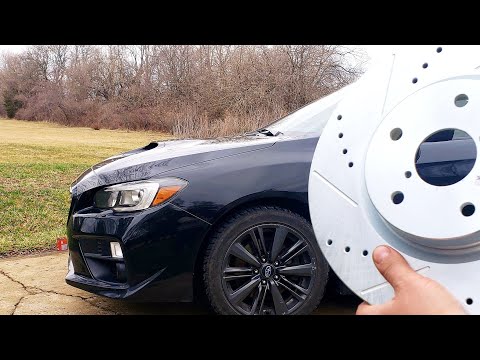
02-06 Nissan Altima Front Brakes *Detailed* Pads & Rotors How To Replace Removal & Install

Published on February 14, 2021
Duration: 16:58

This guide details the process of replacing front brake pads and rotors on a 2002-2006 Nissan Altima. It covers loosening lug nuts, removing the wheel, caliper, and old rotor, preparing the hub, installing new components, compressing the caliper piston, and reassembling everything. Specific torque specifications for caliper bracket bolts, caliper bolts, and lug nuts are provided, along with crucial safety warnings about supporting the vehicle and re-seating the brake pedal after the job is complete.

Quick Summary

To replace front brake pads and rotors on a 2002-2006 Nissan Altima, loosen lug nuts, lift and secure the vehicle, then remove the wheel. Disassemble the caliper and bracket, remove the old rotor, clean the hub, and install the new rotor and pads. Compress the caliper piston, reassemble, and torque all fasteners. Finally, pump the brake pedal slowly until firm to re-seat pistons.

Chapters

  1. 00:00Introduction and Vehicle Compatibility
  2. 00:26Loosening Lug Nuts and Lifting Vehicle
  3. 00:44Removing Wheel
  4. 01:06Removing Caliper and Bracket (Pads Only vs. Rotor Replacement)
  5. 01:30Removing Caliper Bracket Bolts
  6. 02:01Removing Caliper Bracket
  7. 02:50Removing Old Rotor
  8. 03:36Removing Old Brake Pads
  9. 04:43Separating Caliper from Bracket (if needed)
  10. 05:31Lubricating Slide Pins (Optional)
  11. 06:20Compressing Caliper Piston
  12. 07:31Cleaning Hub Surface
  13. 08:09Handling New Rotors
  14. 09:01Reinstalling Caliper Bracket
  15. 09:11Installing New Brake Pads
  16. 10:33Importance of Retaining Clips
  17. 11:37Sliding Caliper Back Over Pads
  18. 12:06Torque Specs for Caliper Bolts
  19. 12:17Reinstalling Wheel and Lug Nuts
  20. 12:24Torquing Lug Nuts in Stages
  21. 13:51Final Lug Nut Torquing Technique
  22. 14:14Re-seating Brake Pedal (Pumping Brakes)
  23. 14:49Pumping Brakes Slowly and Safely
  24. 15:58Confirming Pedal Firmness
  25. 16:18Conclusion and Outro

Frequently Asked Questions

What are the key steps to replace front brake pads and rotors on a 2002-2006 Nissan Altima?

Begin by loosening lug nuts, lifting the vehicle, and removing the wheel. Then, remove the caliper bracket bolts, separate the caliper, and remove the old rotor. Clean the hub, install the new rotor, then new pads. Compress the caliper piston, reassemble the caliper and bracket, and torque all bolts. Finally, reinstall the wheel and torque lug nuts in stages. After completing both sides, pump the brake pedal until firm.

What torque specifications are needed for replacing Nissan Altima front brakes?

For a 2002-2006 Nissan Altima front brake job, the caliper bracket bolts should be torqued to approximately 60-65 ft-lbs, the caliper bolts to 20 ft-lbs, and the lug nuts to 90 ft-lbs, applied in three stages using a star pattern.

Why is it important to clean the hub surface before installing a new brake rotor?

Cleaning the hub surface with a wire brush removes rust and corrosion. This ensures the new rotor mounts perfectly flat, preventing wobbling, uneven wear, and the development of hot spots or warped rotor symptoms that can occur if the rotor is installed crooked.

How do you properly re-seat the brake pedal after replacing pads and rotors?

After reassembly, start the car and slowly pump the brake pedal no more than halfway down, several times. This process pushes the caliper pistons out to make contact with the new, thicker pads. Pumping too fast can trigger ABS faults. Continue until the pedal feels firm.

What are common mistakes to avoid when replacing brake pads and rotors?

Avoid letting the caliper hang by the brake line, as this can damage it. Do not touch new rotor surfaces with bare hands. Ensure the hub is clean for proper rotor seating. Pump the brake pedal slowly after installation to avoid ABS issues. Torque lug nuts correctly in a star pattern to prevent rotor warping.

More Gunsmithing & DIY Videos You Might Like

More from Buckeye Ballistics

View all →