Quick Tip: Installing Cloud Defensive Lights

Published on July 12, 2024
Duration: 23:31

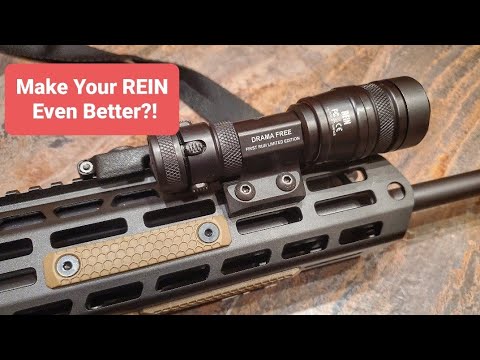
This guide details the installation of a Cloud Defensive REIN series light onto an M-LOK handguard. It covers battery installation and adjustment, mounting the light and its inline adapter, and routing the pressure pad switch cable using the mount's integrated management system. The process emphasizes proper M-LOK nut engagement and secure attachment of both the light and the switch.

Quick Summary

To install a Cloud Defensive REIN light on an M-LOK handguard, first ensure the battery is snug by adjusting the internal orange tab. Attach the inline mount to the light, then insert M-LOK nuts into the handguard slots. Thread the light's screws into the nuts and tighten securely. Finally, route the pressure pad cable using the mount's integrated channels and attach the switch.

Chapters

  1. 00:00Introduction
  2. 00:23Unboxing and Components
  3. 01:56Battery Installation and Adjustment
  4. 03:43Preparing for Mount Attachment
  5. 04:51Attaching Light to Inline Mount
  6. 07:54M-LOK Mounting Procedure
  7. 10:55M-LOK Installation Tips
  8. 11:26Mounting to Handguard
  9. 13:13Engaging M-LOK Nut
  10. 14:13Pressure Pad and Cable Setup
  11. 16:19Cable Management Strategy
  12. 17:40Using Mount's Cable Management
  13. 20:00Attaching Pressure Pad
  14. 21:57Finalizing Pressure Pad Mount
  15. 23:06Conclusion

Frequently Asked Questions

How do you install a Cloud Defensive REIN light on an M-LOK handguard?

First, install the battery and adjust the internal tab for a snug fit. Then, attach the inline mount to the light. Insert M-LOK nuts into the handguard slots and thread the light's screws into them. Finally, route the pressure pad cable using the mount's channels and secure the switch.

What tools are needed to mount a Cloud Defensive REIN light?

You'll typically need a 3/32" Allen wrench for attaching the light to its mount and a 1/8" Allen wrench for the M-LOK hardware. Parallel pliers can be helpful for gripping M-LOK nuts, and blue Loctite is optional for the mount screws.

How do you properly engage M-LOK nuts when mounting an accessory?

Insert the M-LOK nut into the slot with the protruding part facing the accessory. Initially, tighten the accessory's screws all the way down, then back them off 1-2 turns until the nut rotates, ensuring it's engaged before fully tightening.

What is the purpose of the orange tab inside the Cloud Defensive REIN light's battery compartment?

The orange tab is an adjustment mechanism. It allows you to fine-tune the battery's position to eliminate any play or movement, ensuring a secure connection and optimal performance, especially with the included rechargeable battery.

Related News

All News →

More Tactical & Gear Videos You Might Like

More from Brownells, Inc.

View all →