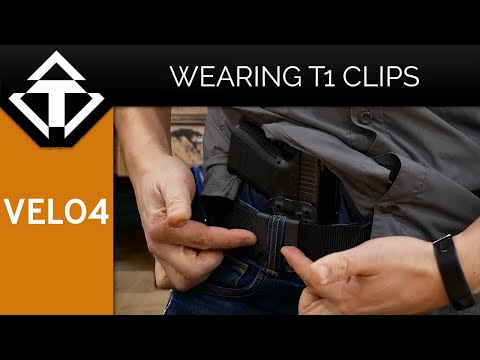
TENICOR VELO 4 | How to install T1 Clips

Published on May 29, 2020
Duration: 3:47

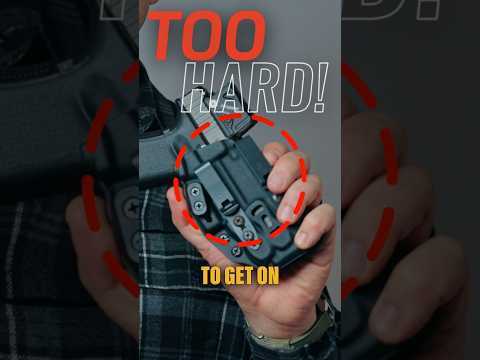
This guide details the installation of TENICOR T1 clips onto the Velo 4 holster. It covers the use of both the Mod 1 and Mod 2 kits for single or dual clip configurations. The process involves careful alignment of clips, insertion of posts and screws, and adjustment of retention for a secure firearm fit.

Quick Summary

To install TENICOR T1 clips on a Velo 4 holster, use the Mod 2 kit for dual clips by inserting screws and capturing square nuts. For the Mod 1 kit, replace original posts with longer ones and attach the second clip. Apply fingertip pressure to square nuts to prevent spinning during tightening. Always ensure the firearm is unloaded.

Chapters

  1. 00:00Introduction to Velo 4 Holster Setup
  2. 00:02T1 Clip Installation Overview
  3. 00:04Mod 2 Kit Installation (Dual Clips)
  4. 00:12Square Nut and Screw Placement
  5. 00:36Installing Second Clip (Mod 2)
  6. 01:01Single Clip vs. Dual Clip Setup
  7. 01:12Mod 1 Kit Installation (Rear Clip)
  8. 01:21Removing Original Posts and Screws
  9. 01:47Inserting 1/2-inch Posts
  10. 02:12Attaching Second T1 Clip (Mod 1)
  11. 02:15Nylon Spacers and Screw Engagement
  12. 03:03Tightening and Adjusting Retention
  13. 03:17Preventing Square Nuts from Spinning
  14. 03:31Final Fit and Test
  15. 03:36Completed TENICOR Velo Setup

Frequently Asked Questions

How do I install T1 clips on a TENICOR Velo 4 holster?

To install T1 clips on a TENICOR Velo 4, use the Mod 2 kit for dual clips by inserting screws through the holster and capturing square nuts on the back. For the Mod 1 kit, replace original posts with longer ones and attach the second clip using screws and nylon spacers. Always ensure the firearm is unloaded before starting.

What is the difference between the Mod 1 and Mod 2 kits for TENICOR T1 clips?

The Mod 2 kit is for installing two T1 clips, typically for a dual-clip setup. The Mod 1 kit is used for installing a single rear clip or as part of the dual clip configuration, involving replacing the holster's original posts with longer ones.

How do I prevent the square nuts from spinning when tightening T1 clips on my holster?

To prevent square nuts from spinning while tightening T1 clips on your TENICOR holster, apply firm fingertip pressure to the rear of the square nut as you tighten the corresponding screw. This provides enough resistance to allow the screw to thread properly.

What tools are needed to install TENICOR T1 clips?

You will likely need a screwdriver, such as a Phillips head, and an Allen wrench to install the T1 clips on your TENICOR Velo 4 holster. Specific screw sizes will dictate the exact tool requirements.

Related News

All News →

More Tactical & Gear Videos You Might Like

More from Tenicor

View all →