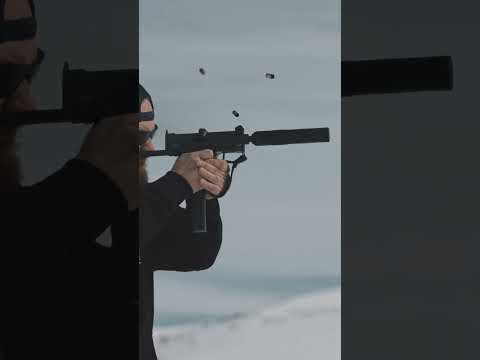
How to Use a Full Auto MAC-11❗️

Published on March 2, 2023
Duration: 0:42

This video demonstrates the proper operation of a full-auto MAC-11 equipped with a Lage MAX-11k upper receiver. It covers the loading procedure, including locking the bolt open and inserting the magazine, and explains how to select 'SMG' mode for full-auto fire. The demonstration showcases the weapon's rate of fire and recoil management.

Quick Summary

To operate a full-auto MAC-11 with a Lage upper, first pull the charging handle to lock the bolt open. Insert the magazine with rounds facing forward and verify a round is chambered. Set the fire selector to 'SMG' mode, shoulder the weapon, aim, and pull the trigger for full-auto fire.

Chapters

  1. 00:00Introduction: Full Auto MAC-11 with Lage Upper
  2. 00:04MAC-11 Loading Procedure Explained
  3. 00:15Setting Fire Selector to SMG Mode
  4. 00:24Full Auto Firing Demonstration & Recoil

Frequently Asked Questions

What is the first step in loading a full-auto MAC-11 with a Lage upper?

The first step is to pull the charging handle back to lock the bolt open. This ensures the firearm is ready to accept a magazine and chamber a round safely.

How do you engage full-auto fire on a MAC-11 with a Lage MAX-11k upper?

To engage full-auto fire, you must set the fire selector switch to the 'SMG' position. After aiming, pulling the trigger will initiate automatic firing.

What are the key components shown on the MAC-11 in the video?

The MAC-11 is shown with a Lage MAX-11k upper receiver, a suppressor, a red dot optic, and a vertical foregrip, indicating a performance-oriented setup.

What caliber is the MAC-11 with the Lage upper typically chambered in?

The MAC-11, especially when fitted with the Lage MAX-11k upper receiver as shown, is typically chambered in 9mm caliber.

Related News

All News →

More Training & Techniques Videos You Might Like

More from Pew Pew Tactical

View all →