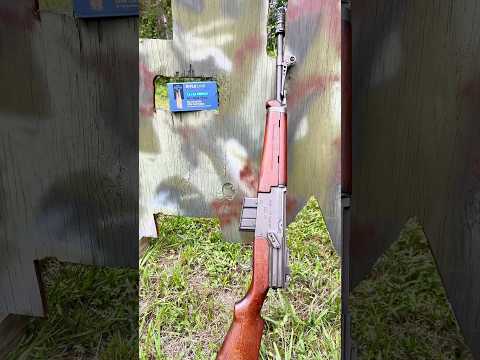
How to use a Robinson Arms XCR (L/M) in under 60 seconds

Published on March 31, 2023
Duration: 0:53

This guide details the fundamental operation of the Robinson Arms XCR-M, drawing comparisons to other platforms like the FAL and ACR. It covers safety, charging, bolt manipulation, loading, and firing procedures. The instruction emphasizes the non-reciprocating charging handle and the ACR-style bolt lock/release.

Quick Summary

The Robinson Arms XCR-M operates with a safety selector similar to an AR-15 (down for fire, up for safe). It features a non-reciprocating charging handle on the left side and an ACR-style bolt lock/release lever. To lock the bolt open, push the lever up; to release it, push it down. The magazine release is situated in front of the trigger guard.

Chapters

  1. 00:00Introduction & Safety
  2. 00:11Charging Handle Operation
  3. 00:20Bolt Lock and Release
  4. 00:29Loading and Firing
  5. 00:47Magazine Release

Frequently Asked Questions

How do you operate the safety on a Robinson Arms XCR-M?

The safety selector on the Robinson Arms XCR-M functions similarly to an AR-15. Pushing the selector down engages the fire mode, while pushing it up places the firearm in safe mode.

What is unique about the Robinson Arms XCR-M's charging handle?

The Robinson Arms XCR-M features a non-reciprocating charging handle. This means the handle does not move back and forth with the bolt carrier group during firing or manual cycling, enhancing shooter comfort and control.

How do you lock the bolt open on an XCR-M?

To lock the bolt open on the Robinson Arms XCR-M, you push the bolt lock/release lever upwards. To release the bolt and chamber a round, you push the same lever downwards.

Where is the magazine release located on the XCR-M?

The magazine release button on the Robinson Arms XCR-M is conveniently located in front of the trigger guard, allowing for intuitive and quick magazine changes.

Related News

All News →

More Training & Techniques Videos You Might Like

More from Gunghis

View all →