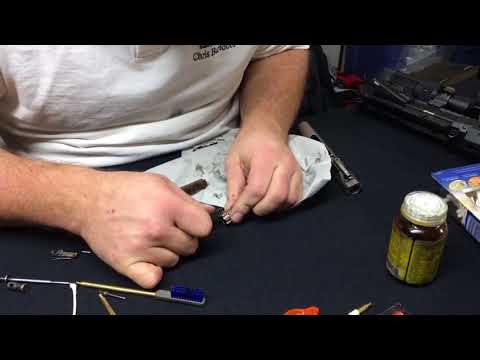
(Series) Introduction to the AR15 Ep. 3: Cleaning and Maintenance (How to Clean Your AR-15)

Published on October 8, 2024
Duration: 67:45

This guide details a comprehensive cleaning and maintenance procedure for an AR-15 style rifle, demonstrated by Clint Morgan. It covers disassembly, thorough cleaning of all components including the bolt carrier group, upper and lower receivers, and barrel, using specialized tools from Otis Technology and common cleaning agents like CLP. The process emphasizes removing carbon buildup and debris, followed by proper lubrication to ensure reliable function and longevity of the firearm. The guide concludes with reassembly and a function check.

Quick Summary

To properly clean an AR-15, disassemble the rifle, soak heavily fouled parts in CLP, and use specialized tools like the Otis bone tool and chamber brush to scrape away carbon buildup. Clean the barrel with a Rip Cord, lubricate all metal-on-metal contact points, reassemble, and perform a function check. Use lead removal wipes on your hands afterward.

Chapters

  1. 00:32Introduction and Thanks
  2. 01:45Selecting the Dirtiest Rifle for Cleaning
  3. 02:38Ensuring Firearm Safety and Clearing
  4. 03:10Disassembling the AR-15 Takedown Pins
  5. 03:55Separating Upper and Lower Receivers
  6. 04:16Inspecting Lower Receiver Components
  7. 05:24Inspecting Upper Receiver Components
  8. 05:54Removing Bolt Carrier Group and Charging Handle
  9. 06:31Disassembling the Bolt Carrier Group
  10. 07:50Soaking Heavily Fouled Parts
  11. 09:08Otis Cleaning Kit Components Overview
  12. 10:04Using the Otis Bone Tool
  13. 11:14Cleaning Bolt Carrier Group Internals
  14. 13:30Cleaning the Bolt Carrier Rails
  15. 15:38Lubricating the Bolt Carrier
  16. 16:41Cleaning the Charging Handle
  17. 20:22Cleaning Firing Pin Retaining Pin and Firing Pin
  18. 25:01Cleaning the Bolt with the Bone Tool
  19. 28:00Deep Cleaning the Bolt (Extractor Removal)
  20. 31:23Reassembling Bolt and Bolt Carrier Group
  21. 34:15Cleaning Upper Receiver Exterior and Internals
  22. 39:03Cleaning the AR-15 Chamber
  23. 44:13Cleaning the Barrel with the Rip Cord
  24. 45:45Cleaning the Muzzle Device
  25. 46:45Final Upper Receiver Check and Lubrication
  26. 49:38Cleaning the Lower Receiver
  27. 53:30Cleaning Buffer Tube, Buffer, and Spring
  28. 57:00Cleaning Lower Receiver Shelf and Internals
  29. 60:38Lubricating Buffer and Trigger Assembly
  30. 61:37Reassembling the Firearm
  31. 62:04Exterior Firearm Wipe Down
  32. 63:31Final Lubrication and Function Check
  33. 65:35Hand Cleaning and Conclusion

Frequently Asked Questions

What are the essential tools for cleaning an AR-15?

Essential tools for cleaning an AR-15 include a punch set, cleaning mat, specialized scrapers like the Otis bone tool, chamber brush, barrel cleaning cord (like the Otis Rip Cord), CLP, microfiber rags, and pipe cleaners for detailed work. Having a good set of brushes and scrapers is key for removing carbon buildup.

How do you properly clean an AR-15 barrel?

To clean an AR-15 barrel, use a cleaning cord like the Otis Rip Cord. Feed the thinner end through the barrel from the chamber end, attach the thicker end or handle at the muzzle, and pull it through. This single pull-through action is designed to remove fouling like carbon, lead, and copper.

What is the purpose of the Otis bone tool?

The Otis bone tool is a specialized scraping instrument designed to effectively remove stubborn carbon and metal fouling from critical AR-15 components such as the bolt, bolt carrier, and firing pin. Its unique shape allows it to conform to these parts for efficient cleaning.

Why is it important to lubricate an AR-15 after cleaning?

Lubricating an AR-15 after cleaning is crucial to reduce friction and wear between moving metal parts, such as the bolt carrier and upper receiver. Proper lubrication ensures smooth operation, prevents rust, and can make future cleaning easier by preventing carbon from adhering as strongly.

Related News

All News →

More Training & Techniques Videos You Might Like

More from Clint Morgan

View all →