3D2A CAD Stream With Unseenkiller

Published on September 1, 2023
Duration: 100:03

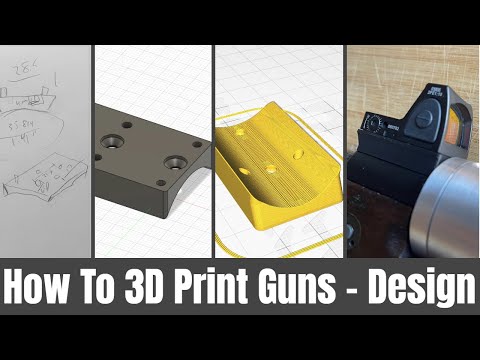
This video explores advanced CAD techniques for firearm component design, focusing on remixing existing designs and parametric vs. surface modeling workflows. Unseenkiller demonstrates how to leverage STEP files, create design blanks, and utilize tools like Fusion 360's surface modeler and edit face tool for complex modifications. The discussion highlights the trade-offs between parametric precision and the flexibility of surface modeling for rapid iteration and design adaptation.


Quick Summary

Advanced CAD techniques for firearm component design involve remixing existing models and utilizing different modeling approaches. Creating a 'blank' model from a STEP file provides a simplified base for new features. Tools like Fusion 360's 'edit face' and surface modeling offer flexibility for complex shapes and rapid iteration, complementing traditional parametric workflows.

Chapters

  1. 00:01Introduction to CAD Design Stream
  2. 00:14Guest Unseenkiller and Design Philosophy
  3. 01:01Unseenkiller's CAD Journey and Progress
  4. 02:00Showcasing Unseenkiller's Design Projects
  5. 03:13Early Work: Topographical Map Texture
  6. 05:47Transition to Blender and Fusion 360
  7. 06:15Key Projects: Schnitzel, Choden, Crusader
  8. 07:01Original Designs: 17F and 3D FG
  9. 08:46Remixing Methodology Explained
  10. 09:12DB Firearms Galileo R2 Remix Example
  11. 10:06Starting with a STEP File
  12. 11:06Galileo R2 Design Analysis
  13. 15:02Creating a 'Blank' Model for Remixing
  14. 16:03Blank Model Design Rationale
  15. 19:51Stateful vs. Relational Data in CAD
  16. 21:37Middle Ground: Fusion 360's Approach
  17. 23:05Editing Sketches and Geometry
  18. 24:46Coalescence in CAD Modifications
  19. 27:28Anarchy 37mm Launcher Design
  20. 29:29Iterative Design and Testing
  21. 31:29Surface Modeling: The Hammer Example
  22. 33:31Deleting Faces in Surface Modeling
  23. 34:46Integrating Surface Models
  24. 36:33Lofting and Stitching Surfaces
  25. 39:22Patch Tool and Creating Solids
  26. 40:41Surface Modelers vs. Solid Modelers
  27. 42:33Power of Surface Modeling
  28. 44:02Designer's Responsibility in Surface Modeling
  29. 46:39Edit Face Tool Demonstration
  30. 48:04T-Splines and Edit Face Tool
  31. 50:43Parametric Modeling with Dimensions
  32. 52:30Mesh Modeling Use Cases
  33. 53:59Edit Face Tool Limitations
  34. 57:56Fusion 360's T-Spline Capabilities
  35. 59:13Organized Design Approach vs. Remixing
  36. 60:45SolidWorks Feature Tree Workflow
  37. 61:41Modifying a Revolve Feature
  38. 64:07Trimming Overlap in Designs
  39. 65:07Final Thoughts on CAD Techniques

Frequently Asked Questions

What is the primary benefit of using a 'blank' model when remixing firearm designs in CAD?

Creating a 'blank' model involves stripping down an existing design to its essential internal geometry. This provides a clean, simplified base for new external features, allowing for rapid iteration and modification without being constrained by the original design's external details.

How does surface modeling differ from parametric modeling in CAD for firearm design?

Parametric modeling uses constraints and a feature history for precise, editable designs. Surface modeling offers more flexibility for complex shapes and modifications, ideal for remixing or ergonomic designs, but requires more manual effort to ensure a solid, printable model.

What is the 'edit face' tool in Fusion 360, and how is it useful for firearm component design?

The 'edit face' tool in Fusion 360 allows direct manipulation of complex surfaces. It's useful for quickly altering shapes, adding thickness, or making ergonomic adjustments to existing models without needing to rebuild entire features, though it can be less precise than parametric methods.

Can Fusion 360's free version be used for advanced CAD design of firearm components?

Yes, Fusion 360's free version offers many advanced tools, including surface modeling and T-splines, suitable for complex firearm component design. While project limits apply, the core functionality for design and iteration is largely available.

More Gunsmithing & DIY Videos You Might Like

More from Hoffman Tactical

View all →