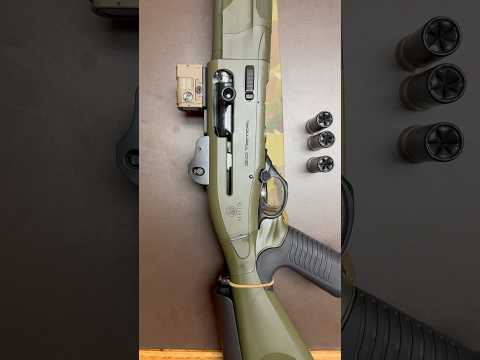
Best Optic/Red Dot/Magnifier Quick Detach Mounts. Scalarworks 1.93” Leap 01 & Leap 06/How To Install

Published on June 23, 2024
Duration: 14:40

This video provides a detailed installation guide for Scalarworks Leap 01 (1.93" red dot mount) and Leap 06 (1.93" magnifier mount). It emphasizes the benefits of the 1.93" optic height for improved cheek weld and recoil management compared to higher mounts. The guide covers proper torque specifications for optic and mount screws, Loctite application, and optimal placement for both red dots and magnifiers on a rifle.

Quick Summary

Scalarworks 1.93" optic mounts provide an improved cheek weld and better recoil management by enabling a heads-up shooting posture. They are lightweight, feature integrated QD levers, and offer reliable return to zero. For an Aimpoint Micro T-2, torque screws to 12 in-lbs, and avoid Loctite as per Aimpoint's recommendation.

Chapters

  1. 00:00Introduction to Scalarworks 1.93" Mounts
  2. 00:18Optic Height Benefits & Downsides
  3. 01:13Height Over Bore Comparison
  4. 01:36Visual Comparison: 1.93" vs. Higher Mounts
  5. 02:00Versatility and Shooting Positions
  6. 02:11Scalarworks Mount Features (QD, Lightweight, Return to Zero)
  7. 02:38Downsides: Iron Sights & Magnifier Flip
  8. 02:58Unboxing and Included Components
  9. 03:05Loctite Application & Optic Mounting Advice
  10. 03:37Torquing the Optic (Aimpoint T-2)
  11. 04:17Starting the Optic Mounting Screws
  12. 05:01Securing Optic Screws (X-Pattern)
  13. 05:51Achieving 12 in-lbs Torque
  14. 06:15Magnifier Mount Loctite & Torque
  15. 07:09Magnifier Mount Orientation
  16. 07:40Applying Loctite to Magnifier Mount Screws
  17. 08:30Tightening Magnifier Mount Screws
  18. 09:09Final Torqueing of Magnifier Mount
  19. 10:00Red Dot Placement Strategy
  20. 10:35Mounting Red Dot to Receiver
  21. 10:41Magnifier Placement Strategy
  22. 11:01Mounting Magnifier
  23. 11:09Magnifier Placement: 6 Slots Back
  24. 11:34Comfort and Length of Pull
  25. 12:02Magnifier Mount & Backup Iron Sights
  26. 12:13Magnifier Flip Clearance
  27. 12:52Magnifier Overhang & Ejection Port
  28. 13:12Taping Magnifier for Training
  29. 13:40Final Mounted Appearance
  30. 13:53Iron Sight Preference & Field of View
  31. 14:10Magnifier View (Flipped)
  32. 14:28Outro & Call to Action

Frequently Asked Questions

What are the benefits of using Scalarworks 1.93" optic mounts?

Scalarworks 1.93" mounts offer an improved cheek weld and better recoil management by allowing a more heads-up shooting position. They are also lightweight, feature integrated quick detach levers, and are known for their reliable return to zero.

What is the recommended torque for mounting an Aimpoint Micro T-2 on a Scalarworks Leap mount?

The recommended torque specification for mounting an Aimpoint Micro T-2 to a Scalarworks Leap mount is 12 inch-pounds (in-lbs). It's crucial to use a torque wrench for accuracy and to avoid damaging the optic or mount.

Should I use Loctite when mounting an Aimpoint Micro T-2 to a Scalarworks mount?

Aimpoint advises against using Loctite on their Micro T-2 optic when mounting it, as the internal spring threads are designed to act as a fastener. For the Scalarworks magnifier mount, Loctite 243 is recommended.

Where is the optimal placement for a red dot sight and magnifier on a rifle?

For red dots, place them as far back on the upper receiver as possible without moving onto the handguard. For magnifiers, a common placement is flush with the charging handle or about six Picatinny slots back from the red dot for optimal eye relief.

More Tactical & Gear Videos You Might Like

More from Gear And Guns

View all →