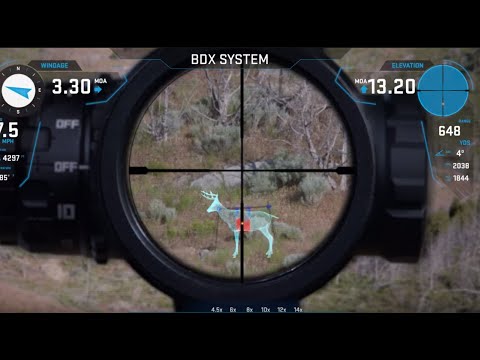
SIG BDX App: Pairing & Bonding

Published on February 4, 2019
Duration: 3:12

This guide details the essential steps for pairing and bonding SIG SAUER's BDX system, which includes the KILO BDX rangefinder and SIERRA3 BDX rifle scope, with the BDX mobile application. The process involves scanning for devices, entering PIN codes or adjusting illumination settings for authentication, and finally bonding the devices to establish a secure connection. Successful pairing and bonding are crucial before utilizing the system's advanced features.


Quick Summary

To set up your SIG BDX system, first open the BDX app and go to 'Pairing.' Scan for devices, select your KILO BDX rangefinder and SIERRA3 BDX rifle scope by their serial numbers, and authenticate with a PIN or by adjusting the scope's illumination. Finally, bond the devices for a secure, one-time connection.

Chapters

  1. 00:07Introduction to BDX System
  2. 00:19BDX App Main Screen & Pairing
  3. 00:34Scanning for Devices
  4. 00:43Identifying Rangefinders and Scopes
  5. 00:59Pairing the Rangefinder
  6. 01:13Entering the PIN Code
  7. 01:26Pairing the Rifle Scope
  8. 01:34Adjusting Illumination Dial
  9. 01:47Confirming Active Pairing
  10. 01:58Checking and Initiating Bonding
  11. 02:13Bonding Devices
  12. 02:21Successful Bonding Confirmation
  13. 02:31One-Time Unlock Sequence

Frequently Asked Questions

What is the first step to setting up a SIG BDX system?

The first step is to open the BDX app on your smartphone and navigate to the 'Pairing' section. You must pair your devices before you can use the system.

How do I pair my SIG KILO BDX rangefinder with the BDX app?

To pair your rangefinder, tap 'Scan for Devices' in the app, select its serial number, and then enter the PIN code displayed on the rangefinder's screen when prompted.

What is the purpose of bonding SIG BDX devices?

Bonding is a crucial step after pairing that securely 'marries' your rangefinder and rifle scope to your phone. This ensures a quick and instant connection for future use and prevents unauthorized access.

Do I need to re-pair my SIG BDX system every time I use it?

No, once your devices are paired and bonded to your phone, the connection will be instant for future use. You only need to go through the full pairing and bonding process again if you switch to a different phone.

Related News

All News →

More Tactical & Gear Videos You Might Like

More from SIG SAUER, Inc

View all →