L.A.S.R Enhanced Training

Published on September 25, 2015
Duration: 13:20

This video provides a comprehensive overview of the LASR training software, a Windows-based program designed to enhance dry-fire practice. It details the setup process, including the necessity of a laser transmitting device and a webcam, and walks through defining targets, calibration, and initiating drills. The instructor highlights various shooting modes, result analysis, and advanced settings like dual-spectrum laser detection, emphasizing its utility for improving shooting skills indoors.

Quick Summary

The LASR training software is a Windows-based program that enhances dry-fire practice by using a webcam to track laser hits from devices like SIRT pistols. It offers customizable targets, various drill modes, and detailed performance feedback, making it an effective tool for improving shooting skills indoors.

Chapters

  1. 00:03Introduction to LASR Training
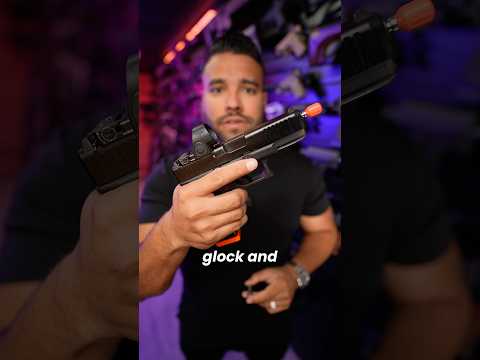
  2. 00:12SIRT Pistol Overview
  3. 00:37LASR Software Introduction
  4. 01:40Software Requirements: Laser Device & Webcam
  5. 02:21Software Interface Walkthrough
  6. 03:00Target Placement and Editing
  7. 03:41Software Controls: Sweep & Calibrate
  8. 04:20Starting a Shooting Drill
  9. 04:34Basic Not Time Drill
  10. 05:16Random Start Drill
  11. 05:52Settings Menu Exploration
  12. 06:29Hit Color Customization
  13. 06:45Laser Detection Settings
  14. 07:18Dual Spectrum Laser Demo
  15. 08:14Resolution Impact on Visibility
  16. 09:23Advanced Features & Plugins
  17. 09:48Reporting and Data Tracking
  18. 10:14Software Updates
  19. 10:33Conclusion and Recommendation
  20. 11:49Links and Further Information

Frequently Asked Questions

What is the LASR training software and what does it do?

The LASR training software is a Windows-based program designed to enhance dry-fire practice for firearms. It uses a webcam to track laser hits from devices like SIRT pistols, providing real-time feedback on accuracy, timing, and target acquisition.

What equipment is needed to use the LASR training software?

To use the LASR training software, you need a Windows-based computer, a webcam to capture the training area, and a laser transmitting device such as a SIRT pistol or an AR-15 laser bolt.

Can the LASR software be used with different types of laser training devices?

Yes, the LASR software is compatible with all laser transmitting devices. It can also be configured to work with dual-spectrum lasers, allowing it to differentiate between different laser outputs for more advanced training scenarios.

How does the LASR software help improve shooting skills?

LASR provides immediate feedback on your shooting performance by recording hit locations, times, and splits. This allows you to analyze your accuracy and speed, identify areas for improvement, and practice specific drills to enhance marksmanship.

More Training & Techniques Videos You Might Like

More from The VSO Gun Channel

View all →