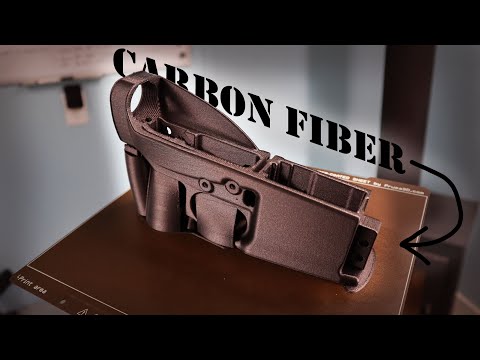
3D2A CAD Design with Chairmanwon

Published on April 28, 2023
Duration: 211:03

This video, featuring Chairmanwon and Hoffman Tactical, delves into advanced CAD surfacing techniques for firearm design, focusing on creating complex, organic shapes for improved ergonomics. It contrasts traditional solid modeling with surfacing, explaining how surfaces, though initially without thickness, allow for greater design freedom and intricate geometries. The discussion highlights specific tools and workflows in SolidWorks and Solid Edge, emphasizing the importance of surfacing for achieving ergonomic features that are difficult or impossible with basic extrusion methods. The presenters demonstrate how to build complex surfaces from sketches and guide curves, and then integrate them into final models using operations like thickening, Boolean subtraction, or face replacement, ultimately enabling more refined and user-centric firearm designs.


Quick Summary

Advanced CAD surfacing techniques, as demonstrated by Chairmanwon and Hoffman Tactical, are essential for creating complex, organic shapes that significantly improve firearm ergonomics. By using surfaces to define features like backstraps and then integrating them via Boolean operations or face replacement, designers can achieve intricate geometries not possible with basic solid modeling, leading to more comfortable and controllable firearm designs.

Chapters

  1. 00:00Introduction to CAD Surfacing
  2. 01:13Guest Introduction: Chairmanwon
  3. 02:09What is Surfacing in CAD?
  4. 03:33Defining a Surface in CAD
  5. 05:04Solid Modeling vs. Surfacing
  6. 06:04Chairmanwon's Surfacing Workflow
  7. 07:32SolidWorks Freezing and Recovery
  8. 08:46Chairmanwon's V3 Model Surfaces
  9. 10:12Using Surfaces as Construction Bodies
  10. 12:35Thickened Surfaces for Design Features
  11. 13:13Ordering Design Features in the Tree
  12. 15:35Reverting Model to Primitives for Demo
  13. 16:21Demonstrating Backstrap Surface
  14. 17:34The Importance of the Backstrap
  15. 19:02Ergonomics 101 for 3D Printed Guns
  16. 19:58Sketches Controlling the Backstrap Surface
  17. 21:17Maintaining Tangency in Surfaces
  18. 22:07Simplifying the Frame Model
  19. 22:33Base of V3 Ergonomic Foundation
  20. 23:57Sketches Controlling the Ergonomic Surface
  21. 24:21Dimensions vs. Feel for Ergonomics
  22. 26:36Ergonomics as a Differentiator
  23. 30:41Product Design vs. Engineering Goals
  24. 32:36Modifying Surface by Sketch Change
  25. 33:15Surface Definition with Sketches
  26. 34:43Remaking a Surface with Blue Surf
  27. 35:54Boundary Surface Tool in SolidWorks
  28. 36:48Maintaining Tangency with Surface Edges
  29. 37:48Using Guide Curves in Surfacing
  30. 38:13Applying Surfaces with Replace Face
  31. 39:13Thickening Surfaces for Design
  32. 40:30Extending Surfaces
  33. 41:10Separate Design Bodies Workflow
  34. 42:40Using Reference Files in Assemblies
  35. 43:53Common Coordinate System for Glock Models
  36. 44:26Tracing Reference Geometry in Sketches
  37. 45:39Comparing Workflows: Solid Edge vs. SolidWorks
  38. 46:11Intersecting Design Bodies with Subtract
  39. 48:42AR-15 Lower Receiver Surfacing
  40. 50:00Designing the Pistol Grip Body
  41. 51:04Pistol Grip Basic Body Surface
  42. 51:33Dimensioned Sketch for Grip Profiles
  43. 52:23Rib Sketches for Grip Shaping
  44. 53:20Style Splines in Solid Edge
  45. 53:53Guide Curves in Surfacing
  46. 54:44Boundary Surface Tool Options
  47. 55:50Normal to Profile Setting
  48. 57:14SolidWorks Tangency Limitations
  49. 59:01Tangent Influence in SolidWorks
  50. 61:20Solid Edge Blue Surf Tool
  51. 63:22Bounded Surface Tool in Solid Edge
  52. 64:41Filled Surface Equivalent in SolidWorks
  53. 66:51Lofted Surface Tool Purpose
  54. 67:45Audio Check: Sevens in Chat
  55. 69:05Returning to Model Discussion
  56. 70:05Fusion 360 Surfacing Discussion
  57. 70:17Real CAD vs. Fake CAD
  58. 71:42Exploring IronCAD

Frequently Asked Questions

What is the primary benefit of using surfacing techniques in CAD for firearm design?

Surfacing techniques in CAD allow for the creation of complex, organic shapes that are crucial for achieving superior ergonomics in firearm design. Unlike basic solid modeling, surfacing enables intricate curves and contours that can significantly improve grip comfort, handling, and overall user experience, which is difficult to achieve with simple extrusions.

How does Chairmanwon approach designing ergonomic features like backstraps in CAD?

Chairmanwon often designs critical ergonomic features as separate, thickened surfaces or 'construction bodies.' These are then integrated into the main model using Boolean operations. This method provides flexibility, allowing for easy modification of ergonomic elements without disrupting the entire design's parametric history, which is essential for iterative refinement.

What is the difference between solid modeling and surfacing in CAD software like SolidWorks and Solid Edge?

Solid modeling creates objects with volume and thickness from the start, adhering to 'watertight' principles. Surfacing, conversely, creates objects without thickness initially, offering more freedom to define complex curves and shapes. These surfaces can later be thickened or stitched together to form solid bodies, enabling more intricate designs.

What are 'affordances' in product design, and how do they apply to 3D-printed firearms?

Affordances are intrinsic properties of a product that make it useful or desirable. For 3D-printed firearms, superior ergonomics, unique aesthetic features, and innovative functionalities that mass manufacturers cannot easily replicate are key affordances. These design-driven advantages are crucial for competing with commercially produced firearms.

More Gunsmithing & DIY Videos You Might Like

More from Hoffman Tactical

View all →