REVIC | Acura BLR10b Quick Start | Ballistic Solutions

Published on May 16, 2023
Duration: 5:48

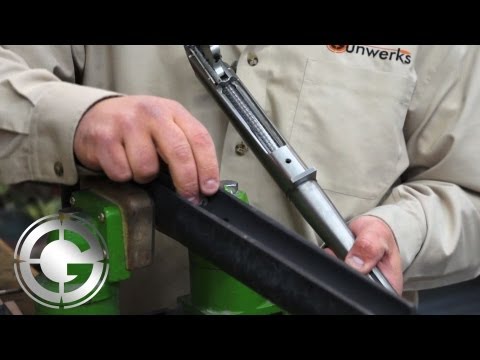
This guide details how to quickly obtain ballistic solutions using the Revic BLR10b rangefinding binocular. It explains two primary modes: 'base wind' for rapid shots under 700 yards, which uses a pre-programmed crosswind value, and 'vector wind' for longer ranges requiring manual wind direction and speed input. The guide also covers how the device displays BDC 'shoot-to' ranges for turret users.

Quick Summary

The Revic BLR10b simplifies ballistic solutions for hunters with a 'base wind' mode for quick shots under 700 yards, providing elevation and windage corrections with one button press. For longer ranges or precise data, 'vector wind' mode requires manual input of wind direction and speed, enabling advanced corrections. It also displays BDC 'shoot-to' ranges for turret users.

Chapters

  1. 00:05Introduction to Revic BLR10b Ballistics
  2. 00:08Simple Methodology for Sophisticated Ballistics
  3. 00:15Hunting Process and Quick Solutions
  4. 00:33One-Button Solution: Range and Ballistics
  5. 00:46Base Wind Solution Explained
  6. 01:13Disabling Advanced Ballistic Corrections
  7. 01:34Assessing and Scaling Windage
  8. 02:05Windage Correction Details
  9. 02:14Scaling Wind Holds
  10. 02:37Vector Wind Solution for Longer Ranges
  11. 02:44Entering Wind Direction and Speed
  12. 03:04Base Wind vs. Vector Wind Threshold
  13. 03:41Two Main Wind Solutions
  14. 03:46BDC Solution Overview
  15. 04:00BDC Range Calculation Example
  16. 04:15Factors in BDC Correction
  17. 04:28MOA vs. BDC Solutions
  18. 04:38Wind Hold and Elevation Display
  19. 04:48Three Ballistic Solution Modes
  20. 05:00Conclusion: Revic BLR10b Quickstart
  21. 05:11Advanced Ranging Topics Covered
  22. 05:30Future Field Demonstrations

Frequently Asked Questions

How does the Revic BLR10b simplify ballistic solutions for hunters?

The Revic BLR10b offers a 'base wind' solution that provides a quick elevation and windage correction with one button press. This mode bypasses complex calculations for headwind, tailwind, and aerodynamic jump, making it ideal for fast-paced hunting scenarios under 700 yards.

When should I use the 'vector wind' mode on the Revic BLR10b?

The 'vector wind' mode is recommended for shots beyond 700 yards or when you have precise wind data. It requires you to manually input the wind direction and speed, enabling advanced ballistic corrections like aerodynamic jump, spin drift, and Coriolis effect for greater accuracy.

What is a BDC range on the Revic BLR10b?

A BDC (Ballistic Drop Compensating) range on the Revic BLR10b is a 'shoot-to' range calculated for users with BDC turrets. It accounts for environmental factors like air temperature, pressure, and inclination, and will flash between the actual range and the required BDC adjustment.

How do I adjust for stronger winds than the programmed 'base wind' on the Revic BLR10b?

If the actual wind is stronger than the programmed 'base wind' value, you simply scale the windage correction. For example, if the device suggests a 2-minute hold for a 5 mph base wind and you're experiencing a 10 mph wind, you would double the hold to 4 minutes.

Related News

All News →

More Hunting & Outdoors Videos You Might Like

More from Gunwerks

View all →