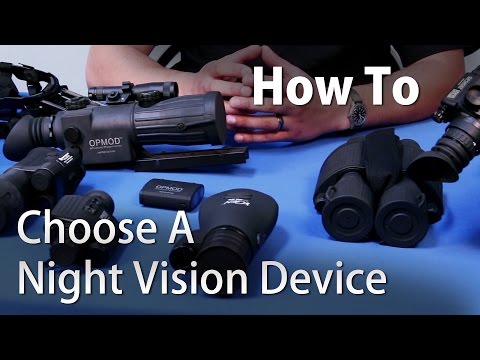
How To Choose A Thermal Imager - OpticsPlanet.com

Published on April 1, 2015
Duration: 3:21

This guide, presented by Tim G, a Product Specialist from OpticsPlanet, covers the fundamentals of choosing and using thermal imaging devices. It clarifies how thermal imaging works, debunks common myths, and differentiates it from traditional night vision. The guide details various applications, including weapon sights, monoculars, and clip-on units, and discusses key specifications like magnification and refresh rates.

Quick Summary

Thermal imaging detects heat differences and works passively without projecting light, making it harder to detect. Key specifications include magnification (1x-6x) and refresh rates (9Hz, 30Hz, 60Hz), with 30Hz or 60Hz recommended for real-time viewing. Options range from rail-mounted weapon sights like ATN Thor and FLIR RS to clip-on units and helmet-mountable monoculars like the ATN Odin.

Chapters

  1. 00:00Introduction to Thermal Imaging
  2. 00:30Thermal Imaging Myths Debunked
  3. 00:48Night Vision vs. Thermal Imaging
  4. 01:23Magnification and Refresh Rates Explained
  5. 01:54Weapon Sights and Clip-on Units
  6. 02:27Handheld and Hands-free Units

Frequently Asked Questions

How does thermal imaging work?

Thermal imaging works by detecting infrared radiation, which is emitted as heat by all objects. The imager translates these heat differences into a visual image, allowing you to see objects based on their temperature rather than visible light.

Can thermal imagers see through walls?

No, thermal imagers cannot see through solid objects like walls, doors, or thick clothing. They detect surface temperatures and heat signatures, but they cannot penetrate solid barriers. Hollywood depictions are often inaccurate.

What is the difference between thermal imaging and night vision?

Thermal imaging detects heat, working in complete darkness and through obscurants like smoke or fog. Traditional night vision amplifies existing light, often requiring an IR illuminator, and is less effective in total darkness or through certain obscurants.

What does refresh rate mean for a thermal imager?

Refresh rate, measured in Hertz (Hz), indicates how many times per second the image on the thermal display is updated. A higher refresh rate (e.g., 30Hz or 60Hz) provides a smoother, more fluid image, crucial for tracking moving targets, while a lower rate (e.g., 9Hz) appears choppy or like slow motion.

Related News

All News →

More Tactical & Gear Videos You Might Like

More from OpticsPlanet

View all →