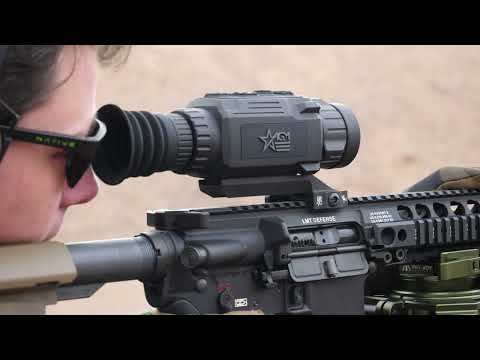
Super useful thermal clip on feature from Athlon. #thermal

Published on February 5, 2026
Duration: 1:37

This guide details how to optimize the menu scaling on the Athlon 35CL-640 thermal clip-on. Expert instruction highlights the ability to adjust the user interface for various scope magnifications, ensuring clarity even at high zoom levels. This feature enhances usability across a wide range of optical setups.

Quick Summary

The Athlon 35CL-640 thermal clip-on offers a crucial 'Menu Scaling' feature, allowing users to adjust the UI for optimal visibility across different scope magnifications. This ensures the menu remains clear and accessible even at 9x zoom, unlike many competitors that lose readability at lower magnifications, making it a versatile accessory.

Chapters

  1. 00:00Introduction to Athlon 35CL-640 Menu Optimization
  2. 00:10Demonstrating Menu Configuration and Scaling
  3. 00:35High Magnification Menu Usability Test
  4. 01:12Versatility and Value Proposition

Frequently Asked Questions

What is the key menu feature of the Athlon 35CL-640 thermal clip-on?

The Athlon 35CL-640 features an advanced 'Menu Scaling' function. This allows the on-screen user interface to be adjusted and resized, ensuring optimal visibility across various scope base magnification ranges, a significant advantage over many competitors.

How does the Athlon 35CL-640's menu scaling compare to other thermal units?

Unlike many other thermal units that become difficult to read at 2x or 3x magnification, the Athlon 35CL-640's menu remains clear and usable even at higher magnifications, such as 9x. This enhances its versatility.

What benefit does the menu scaling feature provide for users?

The menu scaling feature makes the Athlon 35CL-640 highly compatible with a wider range of rifle scopes. It ensures the user interface is always legible, regardless of the scope's zoom level, positioning it as a valuable, long-term investment.

Can the Athlon 35CL-640 menu be adjusted for different zoom levels?

Yes, the Athlon 35CL-640 has a 'Menu Scaling' feature that allows users to adjust the size and position of the on-screen menu. This ensures it remains easy to read and interact with, whether the scope is set to low or high magnification.

Related News

All News →

More Tactical & Gear Videos You Might Like

More from 4MR Ranch

View all →