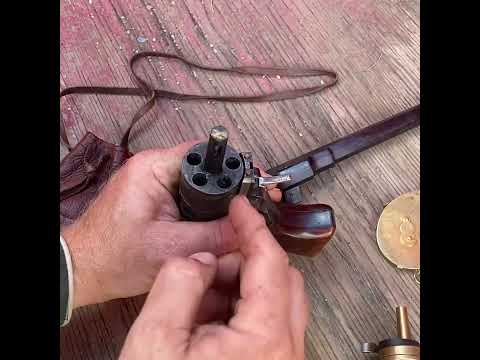
Unloading a Muzzleloader

Published on July 24, 2023
Duration: 0:53

This video demonstrates how to safely unload a muzzleloader using a ball puller. The process involves using a screw-tip attachment on a cleaning rod to bite into and extract the projectile. After removing the ball, any remaining black powder is dumped from the barrel, ensuring the firearm is completely unloaded.

Quick Summary

To safely unload a muzzleloader, use a ball puller attachment on a cleaning rod. Screw the tip into the projectile, then pull it out. Finally, dump any remaining black powder from the barrel to ensure it's completely unloaded and safe.

Chapters

  1. 00:00Introduction to the Ball Puller
  2. 00:18Muzzleloader Extraction Process
  3. 00:41Final Unloading and Safety

Frequently Asked Questions

What is a ball puller for a muzzleloader?

A ball puller is a screw-tip attachment for a standard cleaning rod used to unload a muzzleloader. It drills into the lead ball or projectile, allowing you to mechanically extract it from the barrel when you don't want to fire the gun.

How do you use a muzzleloader ball puller?

Insert the rod with the ball puller into the barrel. Apply firm pressure while turning the rod clockwise to allow the screw tip to bite into the projectile. Once engaged, pull the rod straight out to remove the ball and patch.

What is the final step after removing the projectile from a muzzleloader?

After successfully extracting the lead ball or projectile using the ball puller, the final step is to safely dump any remaining black powder from the muzzleloader's barrel. This ensures the firearm is completely unloaded and safe to handle.

Is it safe to unload a muzzleloader without removing the primer?

It is crucial to ensure the muzzleloader is unprimed before attempting to unload it. This prevents accidental discharge. The video demonstrates checking the priming pan is empty as a safety measure before proceeding with projectile extraction.

Related News

All News →

More Training & Techniques Videos You Might Like

More from InRangeTV

View all →