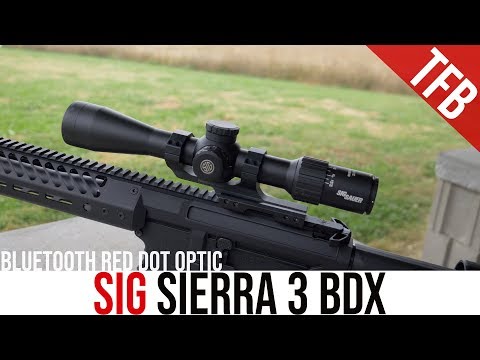
Overview: Sig Sauer Sierra 3 BDX Optics System

Published on August 31, 2018
Duration: 13:01

This guide details the setup and operation of the Sig Sauer Sierra3 BDX Optics System, a sophisticated ballistic data exchange system. Expert instruction from Sig Sauer's Pete Howell covers pairing the KILO rangefinder with the Sierra3 scope via the SIG BDX app, creating custom ballistic profiles, and utilizing features like the Digital Focal Plane and wind hold icons for accurate shooting at extended ranges. The system is designed for user-friendliness despite its advanced capabilities, allowing for reliable field operation even without a constant phone connection.


Quick Summary

The Sig Sauer Sierra3 BDX Optics System integrates a KILO rangefinder with a Sierra3 BDX scope via Bluetooth. After pairing and uploading a custom ballistic profile through the SIG BDX app, the system automatically displays the correct illuminated hold point in the reticle when you range a target, even operating without a smartphone in the field.

Chapters

  1. 00:00Introduction to Sig Sauer BDX System
  2. 00:16Sierra3 BDX System Overview
  3. 00:30BDX Rangefinder Compatibility
  4. 01:02Initial Setup and App Download
  5. 01:20Pairing Rangefinder and Scope
  6. 02:20Advanced App Settings and Weather Data
  7. 03:00Automated Ballistic Calculations
  8. 03:43Connect the Dots Reticle Feature
  9. 04:30Field Operation Without Phone
  10. 05:10Instantaneous Data Upload
  11. 05:55Digital Focal Plane
  12. 06:35Versatile Shooting Applications
  13. 09:10Creating Ballistic Profiles
  14. 11:13Product Availability and Pricing
  15. 11:49Scope Magnification Options and Compatibility

Frequently Asked Questions

How does the Sig Sauer Sierra3 BDX system work?

The Sig Sauer Sierra3 BDX system uses Bluetooth to connect a KILO rangefinder to a Sierra3 BDX scope. When you range a target, the system calculates the ballistic solution and displays the correct hold point as an illuminated dot in the scope's reticle.

What is the benefit of the Digital Focal Plane feature?

The Digital Focal Plane feature in the Sierra3 BDX scope ensures that the illuminated hold point automatically adjusts its position within the reticle as you change the scope's magnification, maintaining accuracy across all power settings.

Can I use the Sig Sauer BDX system without my smartphone in the field?

Yes, once you have uploaded your ballistic profile and environmental data to the KILO rangefinder and Sierra3 BDX scope via the SIG BDX app, the system can operate independently without a smartphone connection.

What information is needed to create a ballistic profile for the BDX system?

To create a ballistic profile, you need your ammunition's specific bullet data (diameter, weight, ballistic coefficient), its muzzle velocity, and your rifle's zero range at 100 yards. This data is entered into the SIG BDX app.

More Tactical & Gear Videos You Might Like

More from Brownells, Inc.

View all →