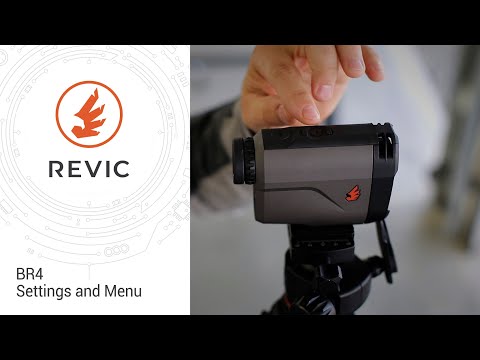
Revic BR4 | Creating and Loading Ballistic Profiles

Published on September 1, 2021
Duration: 1:55

This guide details the straightforward process of programming ballistic profiles onto the Revic BR4 rangefinder using the Revic Ops mobile application. It covers Bluetooth pairing, app navigation, profile selection, and syncing, ensuring users can quickly set up their device for accurate long-range shooting. The instructions are presented with an expert tone, emphasizing ease of use once the initial setup is complete.

Quick Summary

Programming ballistic profiles on the Revic BR4 rangefinder is a straightforward process using the Revic Ops app. Ensure Bluetooth is enabled on the BR4, download the app, connect your device, select your desired profile (e.g., '7LRM ELDM'), and sync. Confirm the upload by checking the profile menu on the BR4.

Chapters

  1. 00:04Programming Ballistic Profiles Intro
  2. 00:11Bluetooth Connection Basics
  3. 00:25Revic Ops App Menu Navigation
  4. 00:41Downloading Revic Ops App
  5. 00:49BR4 Bluetooth Discovery
  6. 01:05Connecting and Syncing Profile
  7. 01:23Verify Synced Profile on BR4
  8. 01:34Conclusion and Resources

Frequently Asked Questions

How do I connect my Revic BR4 rangefinder to the Revic Ops app?

To connect, ensure Bluetooth is on and discoverable on your BR4. Open the Revic Ops app, navigate to 'Connect the device', select your BR4 from the list, choose a ballistic profile, and tap 'Sync'.

Where can I download the Revic Ops ballistic app?

The Revic Ops ballistic app can be downloaded from the Google Play Store for Android devices or the Apple App Store for iOS devices.

How do I know if a ballistic profile has been successfully uploaded to my Revic BR4?

You can confirm the upload by using the BR4's navigation to access its profile menu. It should display 'ProfILE' followed by the name of the newly synced profile, such as '7LRM ELDM'.

Is it difficult to program ballistic profiles on the Revic BR4?

The video indicates that while it might seem daunting initially, the process of programming ballistic profiles on the Revic BR4 using the Revic Ops app is very straightforward once set up.

Related News

All News →

More Tactical & Gear Videos You Might Like

More from Gunwerks

View all →