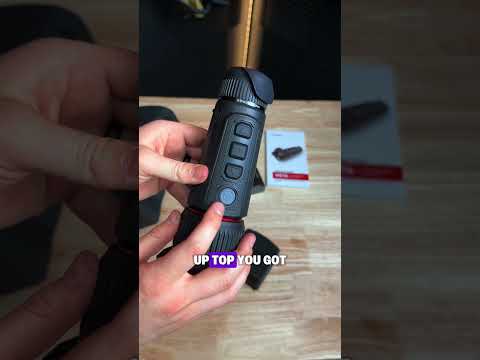
Revic BR4 | Unboxing & Quick Start

Published on September 1, 2021
Duration: 2:47

This guide provides a quick start for the Revic BR4 ballistic rangefinder, covering essential setup steps. It details battery installation, powering on the device, and taking initial range measurements. The video emphasizes proper battery handling and the device's auto-off features for efficient power management.

Quick Summary

The Revic BR4 ballistic rangefinder is unboxed and set up for quick use. Key steps include removing the transit disc from the battery, correct battery installation with positive side up, and proper O-ring sealing. Power on by pressing the fire button once; press and hold to take a range.

Chapters

  1. 00:00Introduction to Revic BR4 Unboxing
  2. 00:14Unboxing Contents
  3. 00:34Quick Start Guide Overview
  4. 00:57Battery Installation
  5. 01:35Lens Cover and Power On
  6. 02:01Display and Auto-Off Features
  7. 02:25Advanced Features Overview

Frequently Asked Questions

How do I install the battery in the Revic BR4 rangefinder?

To install the battery, open the compartment latch, remove the red disc from the battery, and insert it with the positive (+) side up. Ensure the O-ring seals properly when closing the compartment.

How do I turn on the Revic BR4 and take a range?

Press the fire button once to turn on the display. To take a range, press and hold the fire button until the distance reading appears on the screen.

What are the key features of the Revic BR4 display?

The display stays on for 20 seconds, showing data like range and ballistic solutions. It automatically goes to sleep to conserve power but can be reactivated by pressing any button.

What happens if the Revic BR4 is left idle?

If the display is idle for 60 seconds after turning off, the device will power down and reset to its factory settings, requiring a restart.

Related News

All News →

More Tactical & Gear Videos You Might Like

More from Gunwerks

View all →