Unboxing a New Thermal #shorts Nocpix

Published on March 10, 2026
Duration: 1:43

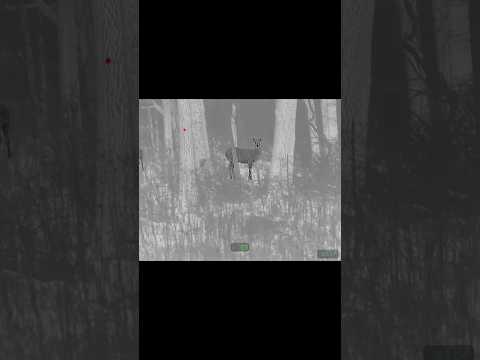
This video provides a comprehensive unboxing of the Nocpix Vista Series Monocular thermal imaging device. It details the contents of the package, including the monocular, USB-C cable, rechargeable batteries, and various straps. The presenter highlights the device's controls, connectivity options, and focus adjustment, offering a brief demonstration of its thermal viewing capabilities. The review is presented in a casual, promotional tone, indicating the product was sent for feature and review.

Quick Summary

The Nocpix Vista Series Monocular unboxing includes the thermal device, USB-C cable, rechargeable lithium battery, and straps. Controls on top feature power, forward/back arrows, and an 'M' button. Focus is adjusted via spinning mechanisms on the eyepiece and front lens.

Chapters

  1. 00:00Introduction & Cat Demo
  2. 00:05Unboxing Begins
  3. 00:07Product Identification: Nocpix Vista Series
  4. 00:13Box and Initial Contents
  5. 00:22Accessory Boxes Revealed
  6. 00:30First Accessory Box Contents
  7. 00:38Second Accessory Box Contents
  8. 00:42Main Product Reveal
  9. 00:50Battery & Controls Overview
  10. 01:02Connectivity & Straps
  11. 01:10Lens and Eyepiece
  12. 01:24Focus Adjustment
  13. 01:29Thermal View Demo
  14. 01:36Review & Call to Action

Frequently Asked Questions

What are the main components included in the Nocpix Vista Series Monocular unboxing?

The Nocpix Vista Series Monocular unboxing typically includes the thermal monocular device, a USB-C to USB-C cable, a rechargeable lithium battery, and at least two straps for carrying or mounting. Instructions and a protective pouch are also usually present.

How do you adjust the focus on the Nocpix Vista Series Monocular?

The Nocpix Vista Series Monocular features focus adjustment mechanisms. The video shows a spinning adjustment on the eyepiece and indicates another spinning adjustment may be present on the front lens assembly for fine-tuning the thermal image clarity.

What are the control buttons on the Nocpix Vista Series Monocular?

The Nocpix Vista Series Monocular has controls located on the top of the device. These typically include a power button, a forward arrow, an 'M' button (likely for mode or menu selection), and a back arrow button for navigation.

More Tactical & Gear Videos You Might Like

More from 1st Shot Tactical

View all →