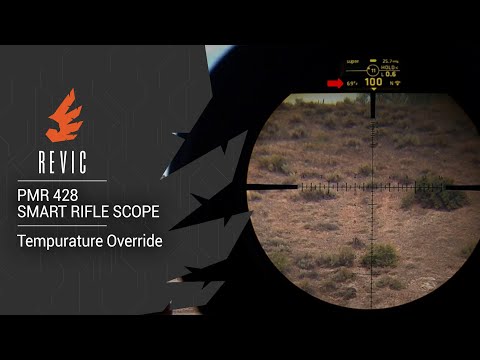
REVIC PMR428 Smart Rifle Scope | Compass Override

Published on October 29, 2019
Duration: 3:04

This guide details how to perform a compass override on the REVIC PMR428 Smart Rifle Scope. The scope utilizes sophisticated sensors, including a magnetometer for directional input. The compass override feature allows users to manually set the directional heading when external magnetic interference (from rifle actions, benches, or other ferrous materials) might affect the sensor's accuracy. The process involves navigating through the scope's menu system to adjust the Azimuth setting in degrees.

Quick Summary

The compass override on the REVIC PMR428 Smart Rifle Scope allows manual input of directional headings to counteract magnetic interference from nearby objects. Access it via the weather menu, then the compass/vector measurement menu, and adjust the Azimuth in degrees. The setting persists through sleep mode but resets on hard power-off.

Chapters

  1. 00:05Introduction to REVIC PMR Compass Override
  2. 00:11REVIC PMR428 Sensors and Precision
  3. 00:32Understanding the Magnetometer
  4. 00:44Sources of Magnetic Interference
  5. 01:06When to Use Compass Override
  6. 01:21Navigating the Menu for Override
  7. 01:34Starting from the Main Display
  8. 01:42Accessing the Weather Menu
  9. 01:49Compass/Vector Measurement Menu
  10. 01:59Performing the Azimuth Override
  11. 02:15Setting Direction in Degrees (e.g., South)
  12. 02:25Saving the Override Setting
  13. 02:31Confirming Override on Main Display
  14. 02:38Override Persistence and Reset
  15. 02:55Conclusion: REVIC PMR Compass Override

Frequently Asked Questions

What is the compass override feature on the REVIC PMR428?

The compass override feature on the REVIC PMR428 Smart Rifle Scope allows users to manually set the directional heading. This is useful when external magnetic interference from objects like rifle actions or shooting benches might affect the accuracy of the scope's internal magnetometer.

How do I access the compass override menu on the REVIC PMR428?

To access the compass override menu on the REVIC PMR428, power on the scope, press 'Enter' from the main display to reach the weather menu, then press the right navigation button once to enter the compass or vector measurement menu.

How do I set a specific direction using the compass override on the REVIC PMR428?

After selecting 'Azimuth' in the compass menu, use the up/down navigation buttons to adjust the value in degrees. For example, 180 degrees typically represents South. Press 'Enter' to save the setting.

Does the compass override on the REVIC PMR428 stay active permanently?

No, the compass override setting on the REVIC PMR428 remains active while the scope has power or is in sleep mode. However, it will reset to the default setting once the scope undergoes a hard power-off.

More Tactical & Gear Videos You Might Like

More from Gunwerks

View all →