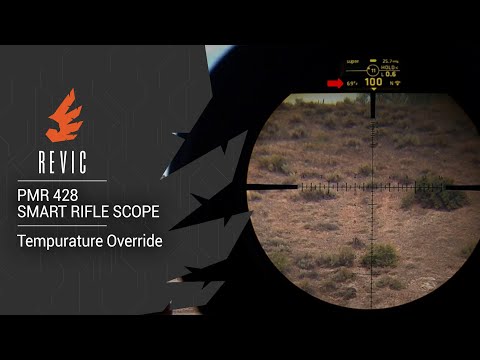
REVIC PMR428 Smart Rifle Scope | Sync Profile to Device

Published on October 29, 2019
Duration: 1:38

This guide details the process of syncing a custom ballistics profile from the REVIC Ops app to the REVIC PMR428 Smart Rifle Scope. It covers ensuring Bluetooth connectivity, selecting a profile, initiating the sync, and confirming the transfer on the scope's display, noting potential title truncation.


Quick Summary

To sync a profile to your REVIC PMR428 Smart Rifle Scope, ensure the scope is on and Bluetooth is enabled. Open the REVIC Ops app, select your desired profile, click the sync icon, and then press the 'Sync' button. The scope will confirm the transfer and display the synced profile name, though long titles may be truncated.

Chapters

  1. 00:05Introduction to Profile Sync
  2. 00:11Prerequisites for Syncing
  3. 00:21Selecting and Loading a Profile
  4. 00:43Initiating the Sync Process
  5. 01:04Confirmation on Scope Display
  6. 01:13Profile Title Truncation
  7. 01:27Syncing Complete

Frequently Asked Questions

How do I sync a ballistics profile to my REVIC PMR428 Smart Rifle Scope?

To sync a profile, ensure your REVIC PMR428 is on and Bluetooth is enabled. Open the REVIC Ops app, select your desired profile, click the sync icon, and then press the 'Sync' button. The scope will then display the transferred profile.

What are the prerequisites for syncing a profile to the REVIC PMR428?

Before syncing, the REVIC PMR428 scope must be powered on, and Bluetooth must be active on both the scope and your connected device. You also need to have successfully synced the REVIC Ops app to your device previously.

What happens to existing profiles when I sync a new one to the REVIC PMR428?

When you sync a new profile to the REVIC PMR428, it will overwrite the profiles that are currently stored in the scope. The app typically designates the top profile as the one that gets loaded into the device.

Can long profile names be displayed on the REVIC PMR428 scope?

No, if a profile title is too long to fit on the REVIC PMR428's display, it will be truncated. Only the characters that fit within the available screen space will be shown on the device.

More Tactical & Gear Videos You Might Like

More from Gunwerks

View all →