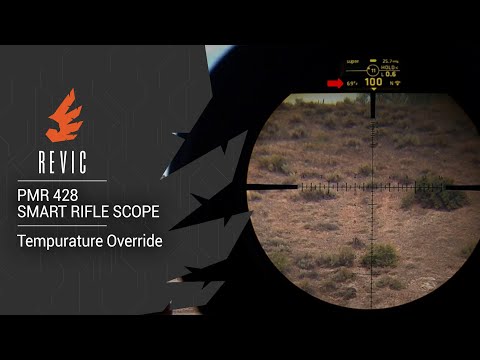
REVIC PMR428 Smart Rifle Scope | Setting the HUD Zero

Published on October 29, 2019
Duration: 5:13

This guide details the process of setting the Heads-Up Display (HUD) zero on the REVIC PMR428 Smart Rifle Scope. It explains that HUD zero is typically set after mechanically zeroing the scope and involves the scope calculating complex environmental factors like inclination, temperature, pressure, and elevation offset. The process is straightforward, involving navigating to the settings menu and holding the enter button to set the zero angle, which is crucial for accurate ballistic calculations.


Quick Summary

The HUD zero on the REVIC PMR428 Smart Rifle Scope is set after mechanically zeroing your rifle. It accounts for complex factors like inclination, temperature, and elevation to establish a fixed zero angle, crucial for accurate ballistic calculations. To set it, navigate to Settings > HUD Zero, press and hold Enter until three dots appear, and let the menu time out.

Chapters

  1. 00:05Introduction to HUD Zero
  2. 00:12When to Set HUD Zero
  3. 00:34Complexity of HUD Zero Calculations
  4. 01:11Zero Angle vs. Zero Range
  5. 02:00Critical Point and Incidence Angle
  6. 03:01HUD Zero Reset Process
  7. 03:15Manual HUD Zero Setup Steps
  8. 03:59Setting HUD Zero at 100 Yards
  9. 04:14Personal HUD Zero Practices
  10. 04:40The Zero Angle Concept
  11. 05:02Conclusion: REVIC PMR428 HUD Zero

Frequently Asked Questions

When should I set the HUD zero on my REVIC PMR428 Smart Rifle Scope?

You should set the HUD zero on your REVIC PMR428 primarily when you first set up your rifle, after you have mechanically zeroed the scope by sighting it in at a specific distance like 100 or 200 yards. It's also recommended if your zero is off by more than approximately 40 yards.

What factors influence the HUD zero calculation on the REVIC PMR428?

The HUD zero calculation on the REVIC PMR428 is complex, factoring in inclination, temperature, pressure, elevation offset, zero range, and even wind effects like aerodynamic jump. The scope measures and calculates these variables to determine the zero angle.

Why might the displayed range on my REVIC PMR428 not match my set zero range?

The displayed range may differ from your set zero range because the REVIC PMR428's ballistic computer is constantly correcting for your current environmental conditions and variables. It prioritizes returning to the established zero angle, not necessarily the exact displayed range you initially set.

How do I manually set the HUD zero on the REVIC PMR428?

To manually set the HUD zero, power on the scope, navigate to the Settings menu, select HUD Zero, and then press and hold the Enter button until three dots appear. Allow the menu to time out, which will set the zero, typically at 100 yards.

More Tactical & Gear Videos You Might Like

More from Gunwerks

View all →